Web Interface#
Experimental
The ARIEL web interface is experimental and under active development. Its API endpoints, frontend architecture, and configuration options may change in future releases.
ARIEL ships with a browser-based search interface that provides the same search capabilities as the CLI in a more approachable form. The interface is a FastAPI application serving a JavaScript single-page application (SPA). It connects to the same ARIELSearchService as the CLI and the ARIEL MCP tools, so any search module you register is automatically available in the UI.
Browser (SPA)                        Server (FastAPI)
┌──────────────────────┐             ┌──────────────────────────┐
│  index.html          │             │  create_app()            │
│  ├── js/app.js       │  REST API   │  ├── /api/capabilities   │
│  ├── js/search.js    │ ─────────── │  ├── /api/search         │
│  ├── js/entries.js   │             │  ├── /api/entries         │
│  ├── js/dashboard.js │             │  ├── /api/status          │
│  └── css/*.css       │             │  └── ARIELSearchService   │
└──────────────────────┘             └──────────────────────────┘
Views#
The interface has four views, accessible via the navigation bar. All views are rendered client-side using hash-based routing (#search, #browse, #create, #status).
The primary view. A search bar with mode tabs (Keyword, Semantic — only enabled modes are shown) and an expandable advanced options panel. Results display as entry cards with relevance scores and highlights. Press Enter to submit a query; searches always include the current advanced options and filters.
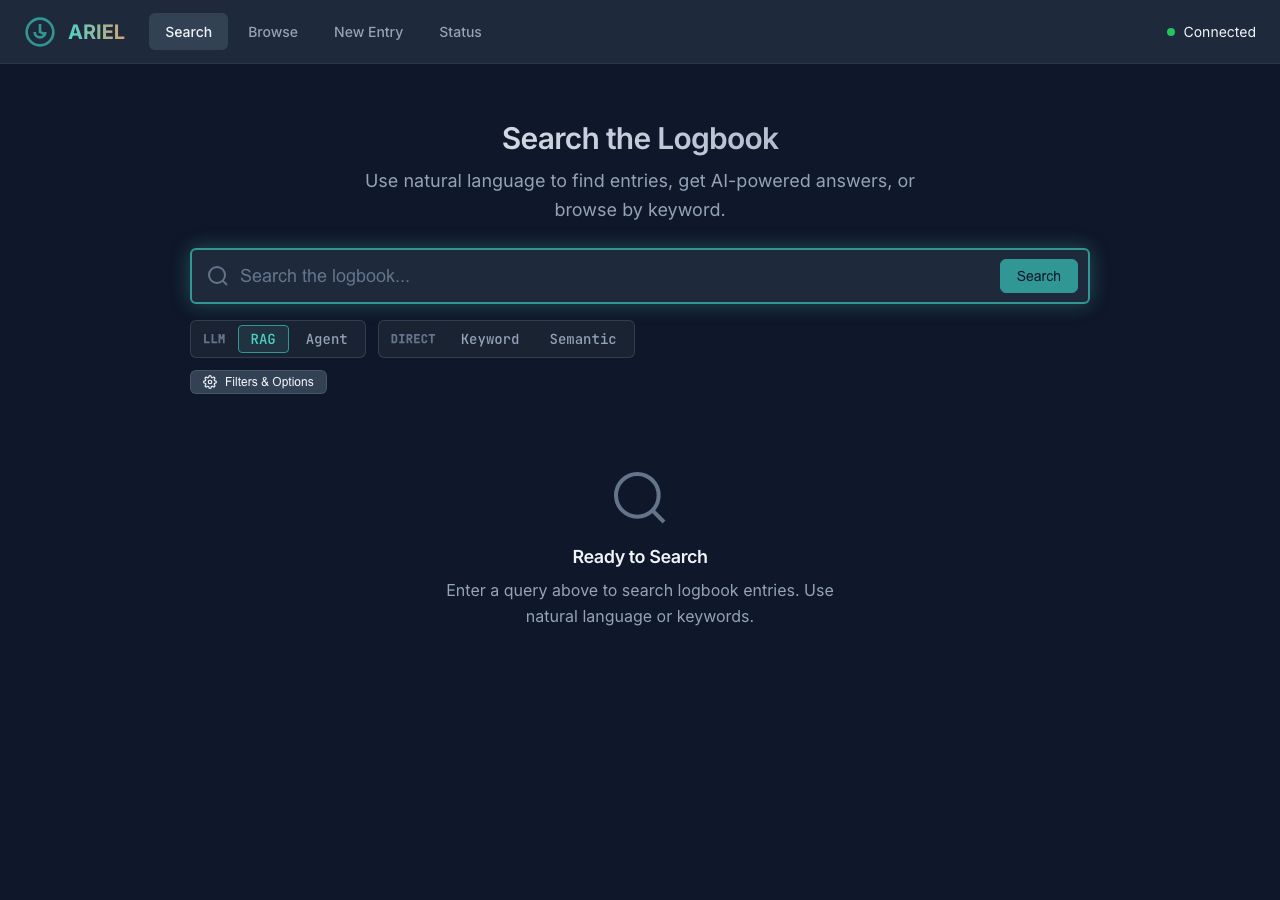
Search view with Keyword mode selected.#
Chronological, paginated listing of logbook entries (newest first) – use Previous/Next to page back through older entries. Each entry shows its timestamp, author, and a text preview. Click an entry to view its full content.
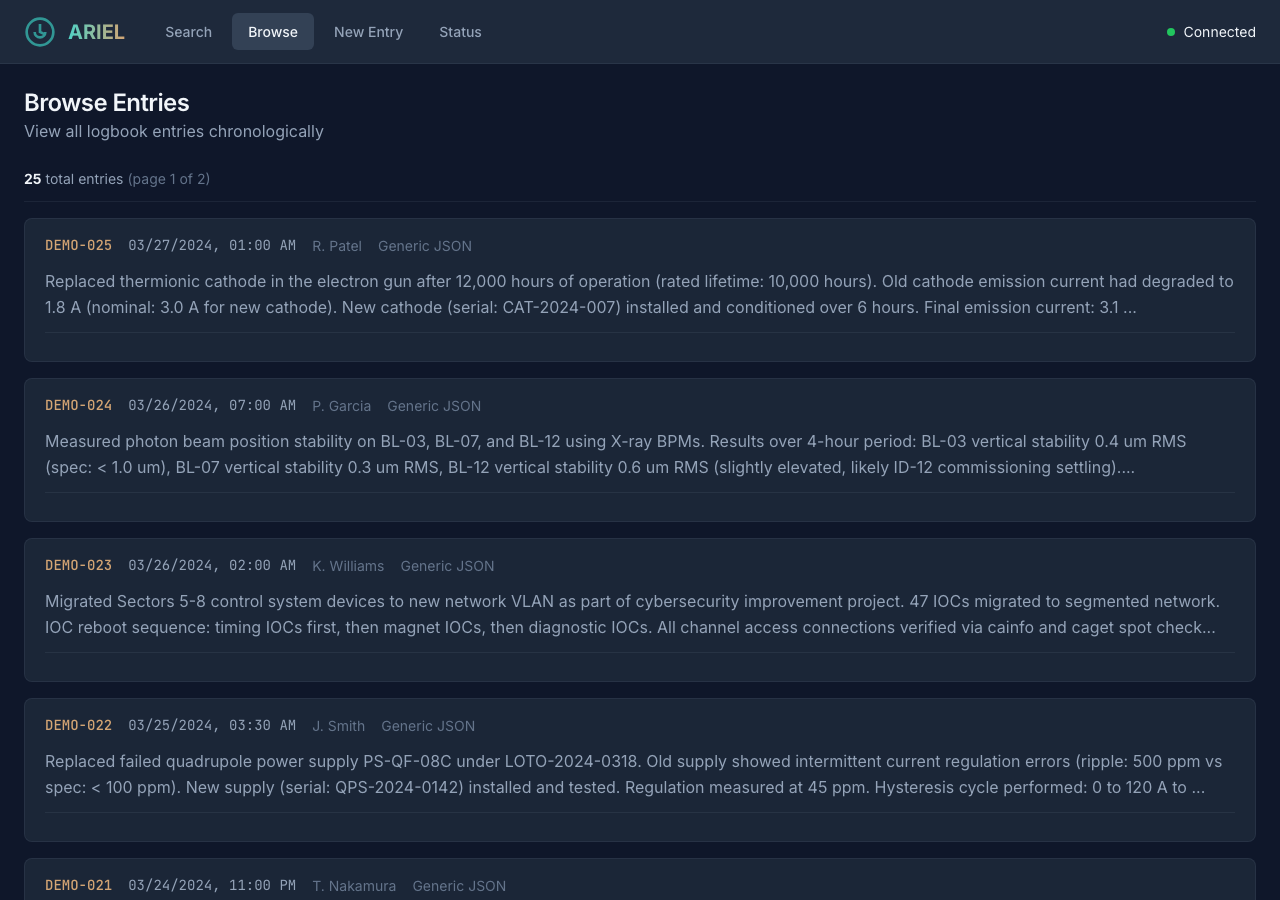
Browse view showing paginated entries sorted newest-first.#
Form for creating new logbook entries directly from the interface. Fields include subject, details, author, logbook, shift, and tags. When the configured logbook adapter is read-only (the common case for the standalone interface), entries are saved locally with source_system: "ARIEL Web" and a generated entry_id of the form ariel-<12-hex>. When a write-capable facility adapter is configured, the entry is published to that logbook and takes the facility’s source_system and entry_id. Created entries are searchable immediately.
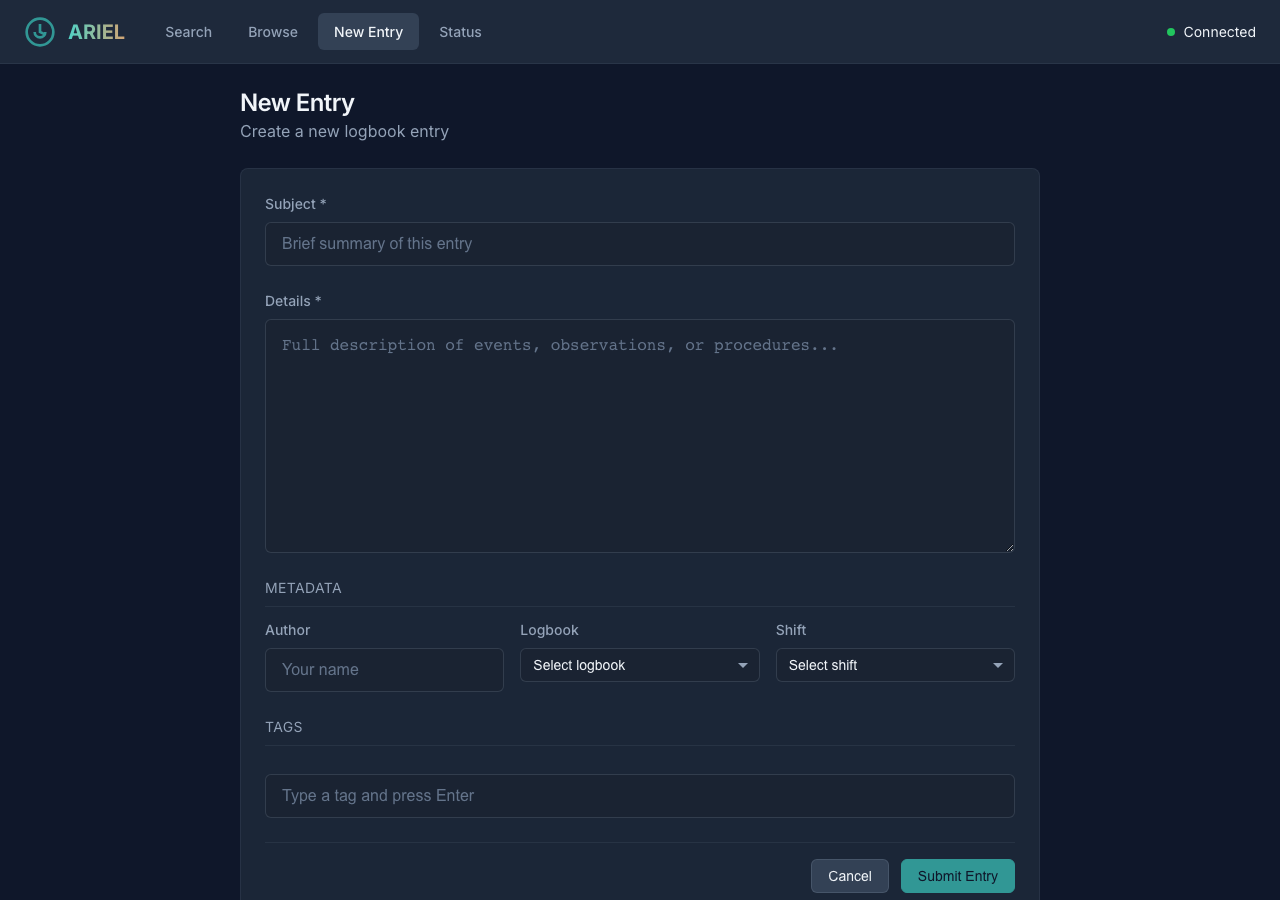
New entry form for creating logbook entries from the web interface.#
Dashboard showing service health, database connection, entry count, embedding tables, enabled modules, and last ingestion timestamp. The dashboard polls /api/status on load, making it useful for verifying that the service is configured correctly after deployment.
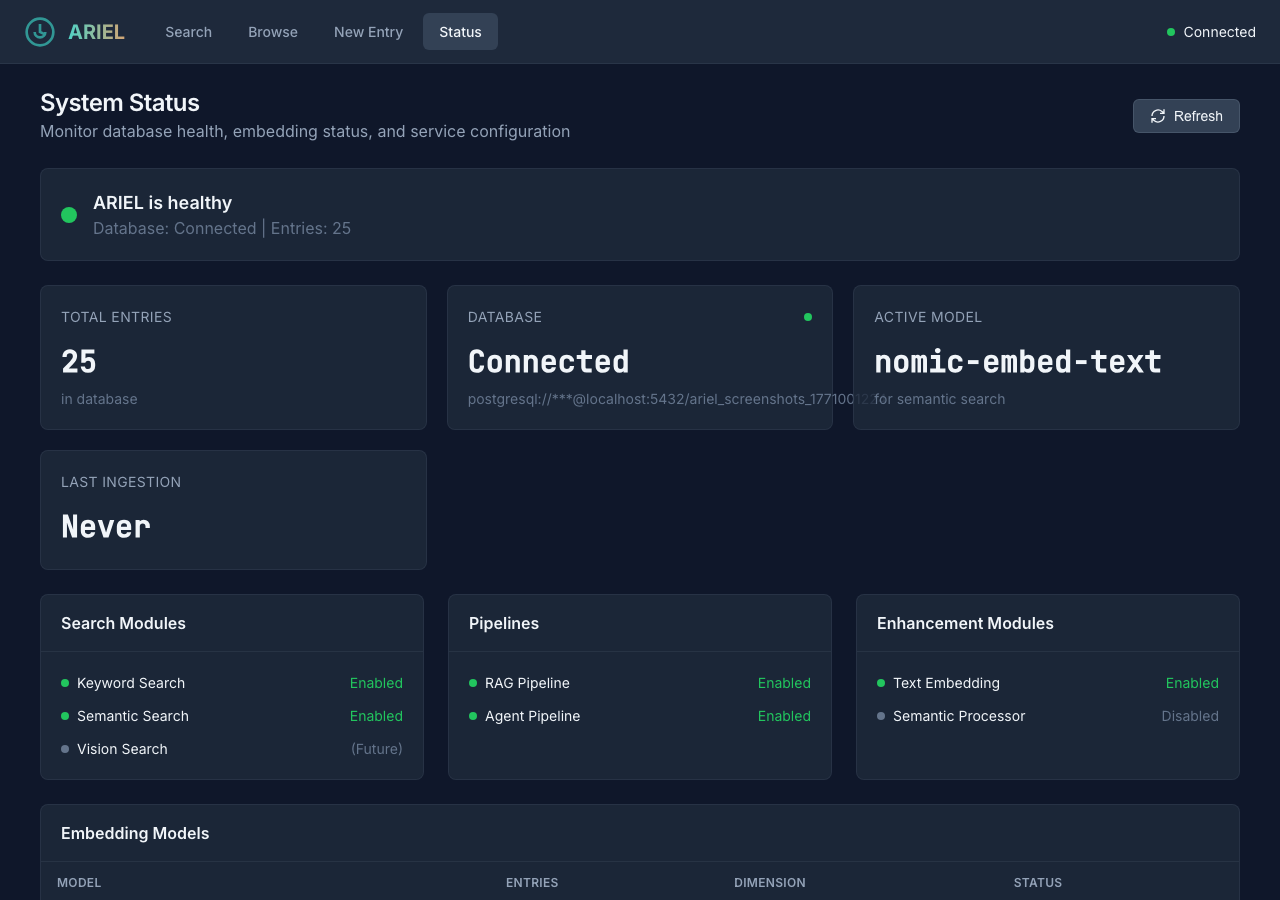
Status dashboard showing service health and configuration.#
Capabilities API#
The web interface discovers its search modes and tunable parameters dynamically at startup by calling GET /api/capabilities.
The “add a module, get a UI knob for free” pattern: When you register a custom search module with get_parameter_descriptors(), its parameters automatically appear in the web interface’s advanced options panel. The ParameterDescriptor dataclass supports types int, float, bool, text, date, select, and dynamic_select (which fetches options from an API endpoint). Parameters are grouped by section for visual organization.
Security & Resilience
XSS-safe highlights: Search result highlights from PostgreSQL
ts_headlineare sanitized bysanitizeHighlight()incomponents.js— only<b>and</b>tags are preserved; all other HTML is escaped.CORS: The development server uses
allow_origins=["*"]. Restrict this in production deployments.Frontend fallback: If
/api/capabilitiesis unavailable at startup, the frontend falls back to a default mode list so the interface remains usable.
Technical Reference
All endpoints are mounted under the /api prefix.
Method |
Endpoint |
Description |
|---|---|---|
GET |
|
Discover available search modes and parameters |
GET |
|
Get distinct values for a filterable field ( |
POST |
|
Execute a search query (body: |
GET |
|
List entries with pagination and filtering |
GET |
|
Get a single entry by ID |
POST |
|
Create a new logbook entry (body: |
POST |
|
Create a new entry from multipart form data with attachments |
GET |
|
Download an attachment binary |
GET |
|
Service health, module status, and statistics |
GET |
|
Read the current ARIEL configuration block |
PUT |
|
Update the ARIEL configuration block |
Additionally, a GET /health endpoint at the root level returns a simple health check response.
SearchResponse:
{
  "entries": [
    {
      "entry_id": "12345",
      "source_system": "ALS eLog",
      "timestamp": "2025-01-15T08:30:00Z",
      "author": "J. Smith",
      "raw_text": "RF cavity trip at 08:15...",
      "summary": "RF cavity fault requiring manual reset",
      "keywords": ["RF", "cavity", "trip"],
      "score": 0.92,
      "highlights": ["<b>RF cavity</b> trip at 08:15"]
    }
  ],
  "search_modes_used": ["keyword", "semantic"],
  "total_results": 1,
  "execution_time_ms": 340
}
StatusResponse:
{
  "healthy": true,
  "database_connected": true,
  "database_uri": "postgresql://localhost:5432/ariel",
  "entry_count": 15230,
  "embedding_tables": [
    {"table_name": "text_embeddings_nomic_embed_text", "entry_count": 15230, "dimension": 768, "is_active": true}
  ],
  "active_embedding_model": "nomic-embed-text",
  "enabled_search_modules": ["keyword", "semantic"],
  "enabled_enhancement_modules": ["text_embedding", "semantic_processor"],
  "last_ingestion": "2025-01-15T06:00:00Z",
  "errors": []
}
See osprey.interfaces.ariel.api.schemas for the full Pydantic model definitions.
The /api/capabilities endpoint returns a JSON structure that groups enabled search modes under category objects (currently a single direct category), along with shared parameters:
{
  "categories": {
    "direct": {
      "label": "Direct",
      "modes": [
        {
          "name": "keyword",
          "label": "Keyword",
          "description": "Full-text PostgreSQL search...",
          "parameters": [
            {
              "name": "fuzzy_fallback",
              "label": "Fuzzy Fallback",
              "type": "bool",
              "default": true,
              "section": "Options"
            }
          ]
        },
        {
          "name": "semantic",
          "label": "Semantic",
          "description": "Embedding-based similarity search...",
          "parameters": []
        }
      ]
    }
  },
  "shared_parameters": [
    {"name": "max_results", "type": "int", "default": 10},
    {"name": "start_date", "type": "date"},
    {"name": "author", "type": "text"},
    {"name": "source_system", "type": "dynamic_select",
     "options_endpoint": "/api/filter-options/source_systems"}
  ]
}
How it works: The get_capabilities() function in osprey.services.ariel_search.capabilities iterates over enabled search modules from the registry. Each module provides a get_tool_descriptor() (for its description) and optionally get_parameter_descriptors() (for its tunable parameters).
App factory: The create_app() function in osprey.interfaces.ariel.app is a standard FastAPI app factory. It accepts an optional config_path argument and returns a fully configured FastAPI application with CORS middleware, API routes, and static file serving.
Lifespan management: The app uses FastAPI’s lifespan context manager to initialize the ARIELSearchService on startup and clean it up on shutdown. During initialization:
Registry bootstrap — pre-creates the framework registry singleton (without an application registry path) so that ARIEL’s search module discovery works even when running outside a full Osprey application.
Config loading — searches for
config.ymlin four locations: the providedconfig_path,/app/config.yml(Docker mount), theCONFIG_FILEenvironment variable, and the current directory. Applies theARIEL_DATABASE_HOSTenvironment variable override for Docker networking.Service creation — creates the
ARIELSearchServicefrom the loaded config and stores it inapp.state.ariel_service.Health check — validates the database connection and logs the result.
Docker environment overrides:
Variable |
Description |
|---|---|
|
Path to config.yml (alternative to default search) |
|
Override database hostname in URI (e.g., |
The frontend is a vanilla JavaScript SPA — no build tools, no framework, no transpilation. All files are served as static assets from src/osprey/interfaces/ariel/static/.
JavaScript modules:
Module |
Responsibility |
|---|---|
|
Application initialization, hash-based routing, health check polling |
|
REST client wrapping |
|
Search form, query submission, results rendering |
|
Capabilities-driven advanced options panel (dynamic parameter controls) |
|
Browse view with pagination, entry detail view, new entry form |
|
Status dashboard rendering |
|
Shared UI components (entry cards, loading states, error messages) |
|
Side-drawer behavior (filters, advanced options, settings panels) |
|
Settings UI: read/write ARIEL config block via |
CSS architecture:
File |
Scope |
|---|---|
|
Design tokens (colors, spacing, typography, transitions) |
|
Reset, typography, form elements |
|
Cards, buttons, badges, modals, search results |
|
Header, navigation, main content, responsive grid |
|
Side-drawer panel styling |
|
Settings and OSPREY-agent-setup editor styling |
Routing: The app uses window.location.hash for navigation. The app.js module listens for hashchange events and shows/hides view sections (#search, #browse, #create, #status). No page reloads occur during navigation.
Running the Web Interface#
CLI mode (recommended for development):
osprey ariel web                      # http://localhost:8085
osprey ariel web --port 8080          # Custom port
osprey ariel web --host 0.0.0.0       # Bind to all interfaces
osprey ariel web --reload             # Auto-reload on code changes
Note
The web UI runs in-process via osprey ariel web and is also exposed
as a panel under osprey web. There is no shipped container service
template for it — osprey deploy up only brings up dependencies
such as PostgreSQL.
Programmatic usage:
from osprey.interfaces.ariel.app import create_app

app = create_app(config_path="config.yml")

# Use with uvicorn
import uvicorn
uvicorn.run(app, host="0.0.0.0", port=8085)
Collaboration Welcome
The web interface is a great place to contribute — whether that is a new view, improved accessibility, mobile-responsive layouts, or better error handling. If you build something useful, we encourage you to open a pull request so it becomes part of Osprey.
See Also#
- Search Modes
Search module architecture
- Osprey Integration
Capability, context flow, and prompt builder
- CLI Reference
CLI reference for
osprey ariel weband all other ARIEL commands