Web Terminal#
The OSPREY Web Terminal is a browser-based cockpit for the Osprey agent: a real terminal on the left, your live workspace on the right, and themed side panels for your control-system tools. Launch it from any project directory:
osprey web
It opens in your browser at http://127.0.0.1:8087. From there you chat with
the agent, watch files and plots appear the moment they are created, and switch
between companion tools without ever leaving the page.
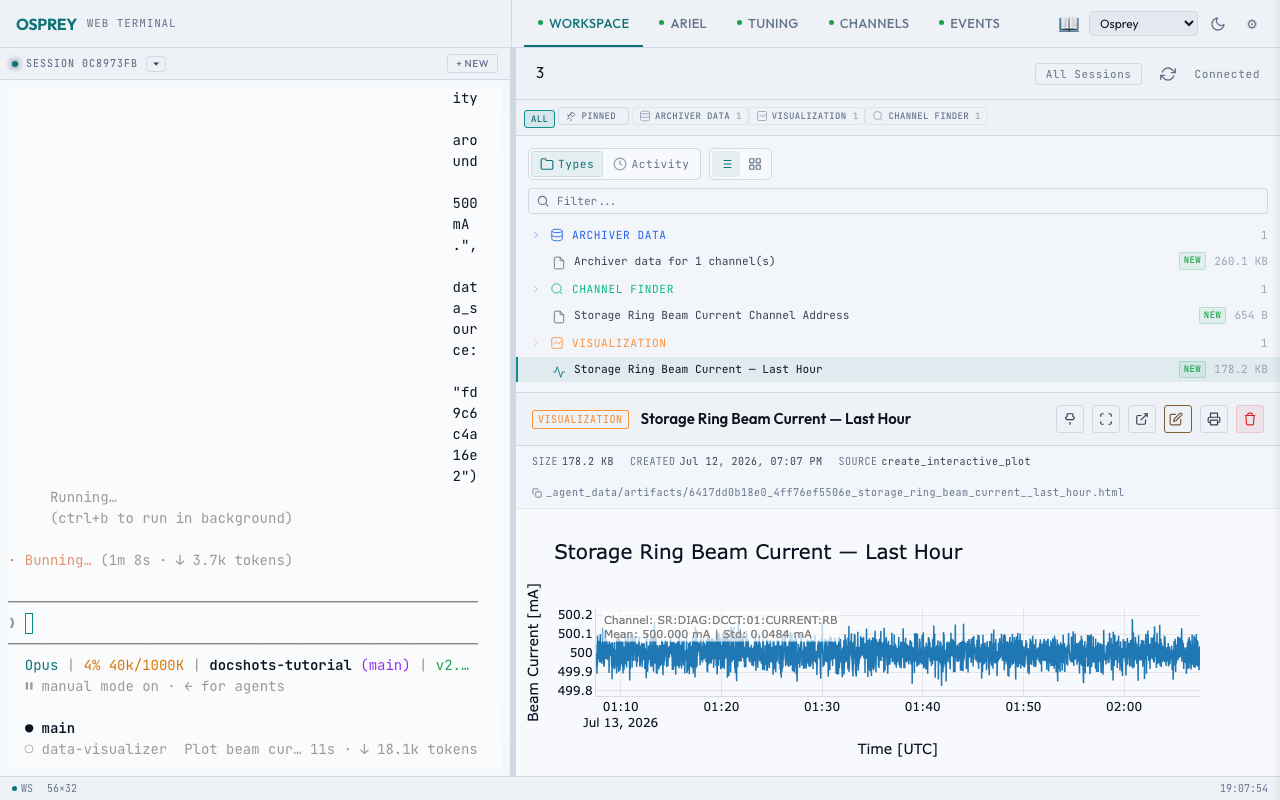
A live agent session on the left; the workspace and its artifacts on the right. Captured with OSPREY v2026.6.3.#
Launch it, run it in the background, and change the handful of settings that matter.
Pick a light or dark theme for every OSPREY interface at once — or design your own.
Add your own tools as themed side panels that sit beside the chat.
Serve a whole team from one host — a landing page plus a private containerized terminal per user, in capability tiers.