Require a Login#
The landing page lists the roster; modules.web_terminals.auth.method
decides what stands between a card and the terminal behind it.
|
What a person meets |
|---|---|
|
The framework default. No login page; each terminal is opened once from that user’s own login URL. A login URL works only with this method. |
|
Open. A card opens its terminal. Only for a room where everyone who can reach the page is trusted. |
|
A login page, against passwords OSPREY manages. |
|
A login page, against your facility’s single sign-on, spoken as OIDC (When your site’s sign-in is not OIDC). |
Two things to read off the drawing. The front door is nginx, and
auth.method decides what it does there — nothing, vouch for the caller, or
ask the authentication service. The terminal behind it always checks a
credential of its own; the postures differ only in who supplies it.
The snippets on this page show only the keys their section is about; the
deployment also carries default_tier and the rest of the roster from the
multi-user page (see the worked example in
Pull the terminal images from a registry), and tier: readwrite / readonly
name files under tiers/. The demo preset sets
method: password with allow_insecure_http: true, which suits
127.0.0.1 only; set method: token to use login URLs.
Merge each snippet’s keys into the modules.web_terminals: entry under
config: in profile.yml; a second copy of that key silently replaces the
first. A list in a snippet, such as users:, stands as the whole list, so
write every entry you keep into it. Keep it one dotted key: a nested
modules: block would replace the whole modules subtree, dropping the
keys the preset sets.
Choose a method#
Token needs no stanza. osprey up mints an operator secret for every
roster user into the deployment’s .env; a terminal refuses you until you
have opened that user’s login URL once:
osprey users login-url alice
Send each person only their own URL, as you would a password. To rotate one,
delete that user’s OSPREY_TERMINAL_SECRET_* line from .env and run
osprey up again. Token mode cannot tell one person from another — whoever
holds a URL is that user — so it suits a single trusted host and nothing
beyond it.
Open — no credential anywhere, for a console behind a locked door:
config:
  modules.web_terminals:
    auth:
      method: none
nginx stamps each user’s operator secret onto every request it proxies, so a card opens its terminal and no login URL exists. That is only safe if nothing inside the deployment can reach nginx back:
osprey up refuses to start an open deployment unless every render’s
.claude/settings.json denies Bash, Monitor, WebFetch,
WebSearch and mcp__plugin_* (osprey scaffold web-terminals
lint reports the same, as web_terminals.open_mode_egress). All of them
are in OSPREY’s deny defaults, so a refusal means a login lifted one —
put it back in that file’s config: block and rebuild. The python executor’s
own guard against executed code reaching the web ports is defence in depth,
not a boundary: none is for rooms where the agents are trusted too.
The same start refuses an open deployment whose render shows the notebook
panel (web_terminals.open_mode_code_panel in the lint). A kernel runs what
is typed into a cell, in the terminal’s container and with no guard in front of
it, so it is a shell by another name, and the agent can write the cell a person
then runs. No deny entry clears this one: either stop selecting jupyter in
the renders the message names and rebuild, or choose one of the postures below.
Passwords, managed by OSPREY:
config:
  modules.web_terminals:
    tls:
      enabled: true
      host_cert_dir: /etc/ssl/facility     # host side; mounted for you
      cert: /etc/osprey/tls/facility.crt   # container side
      key: /etc/osprey/tls/facility.key
    auth:
      method: password
A card then opens the sign-in page for its user:
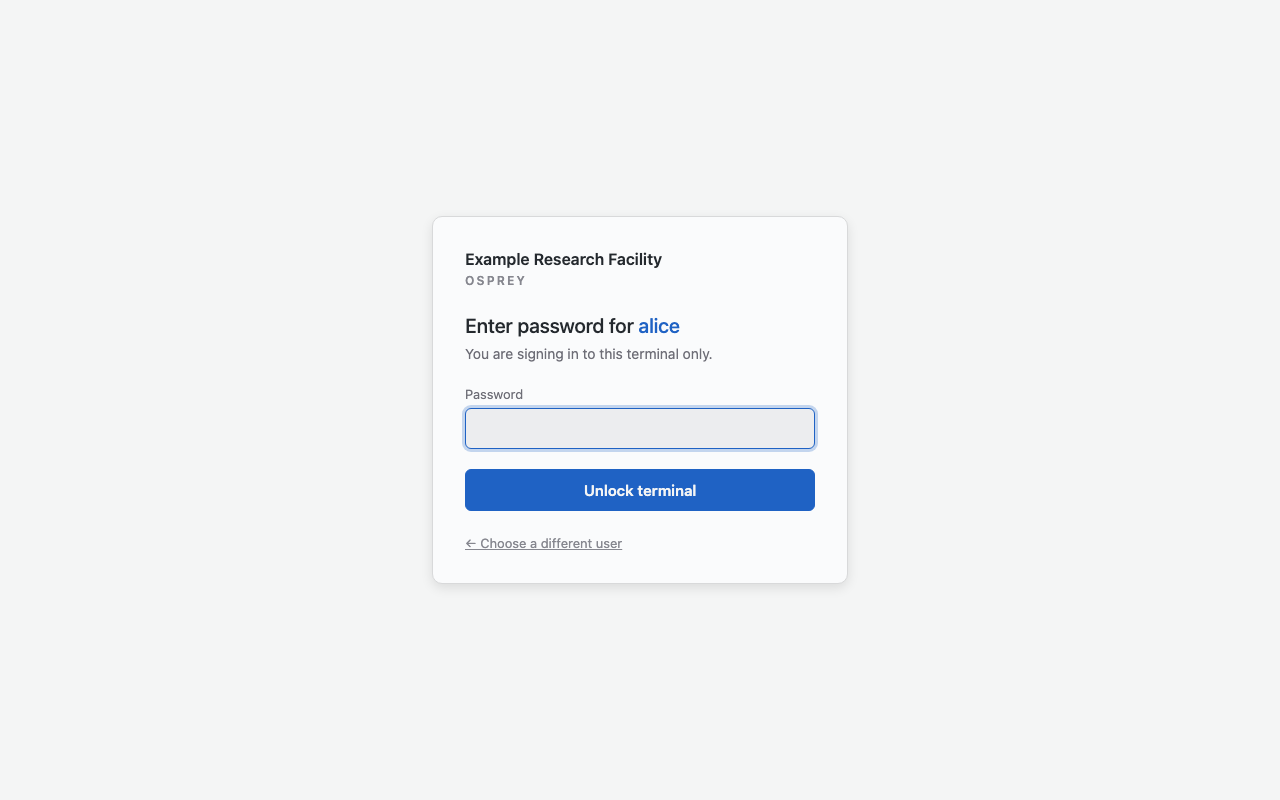
The password sign-in page a card opens, here for alice on the demo
preset. Captured with OSPREY v2026.9.0b3.post6981+gce771a4c5.d20261111.#
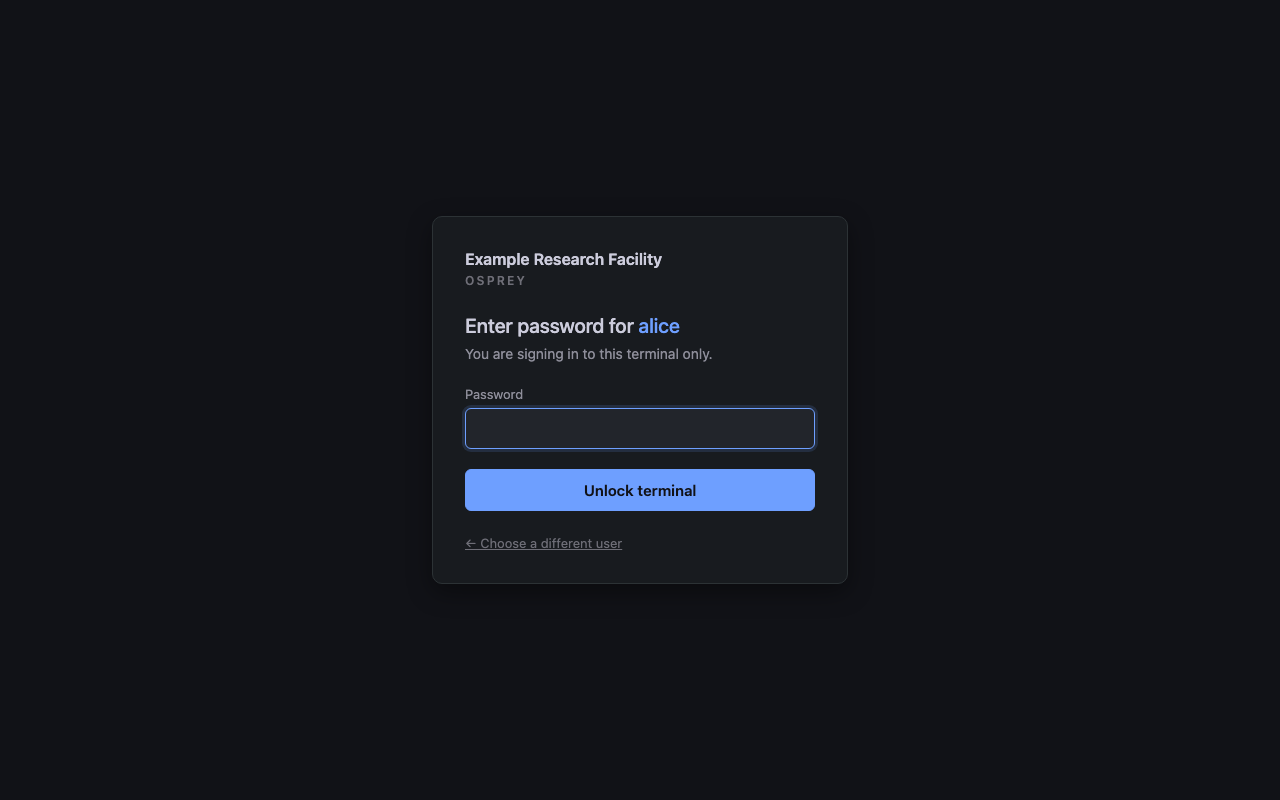
The password sign-in page a card opens, here for alice on the demo
preset. Captured with OSPREY v2026.9.0b3.post6981+gce771a4c5.d20261111.#
OIDC, against your facility’s single sign-on. Each roster entry names the identity that maps to it, so a valid login as somebody else cannot open this user’s terminal:
config:
  modules.web_terminals:
    tls:
      enabled: true
      host_cert_dir: /etc/ssl/facility
      cert: /etc/osprey/tls/facility.crt
      key: /etc/osprey/tls/facility.key
    auth:
      method: oidc
      oidc:
        issuer: https://sso.example.org/realms/accelerator
        client_id_env: OSPREY_AUTH_OIDC_CLIENT_ID      # names in .env.auth
        client_secret_env: OSPREY_AUTH_OIDC_CLIENT_SECRET
        claim: sub
        scopes: [openid, profile, email]
    users:
      - name: alice
        index: 0
        oidc_subject: "8f4c1e02-..."     # alice's value of that claim
scopes is what is asked for at the authorization endpoint, and it decides
which claims the provider releases: a claim that was never requested is simply
absent, and an absent claim is a denied login. The three above are the default,
so a deployment whose provider publishes its identity claim under profile
or email can leave the line out. openid may not be dropped — without it
the provider issues no ID token at all, and the sidecar refuses to serve rather
than run a login it cannot check.
A scope is a request for a claim, not for where it is delivered. OIDC lets a
provider answer a scope by putting the claim in the ID token or by holding it
at its UserInfo endpoint, and a provider that follows the specification
strictly (Connect2id is one) does the latter under the code flow. The sidecar
reads the identity only from the signed ID token and never calls UserInfo —
that endpoint would be a second, weaker trust path — so against such a
provider every login fails with the ID token carries no usable 'email'
claim although email was in scopes and the provider released it.
That symptom has one fix:
config:
  modules.web_terminals:
    auth:
      oidc:
        issuer: https://sso.example.org/realms/accelerator
        claim: email
        claims_in_id_token: true
With it the login route sends the OIDC claims request parameter — the
specification’s own way to ask for a claim in the ID token — naming the claims
the sidecar actually reads: the identity claim as essential, and
email_verified and any role-binding claim (Let single sign-on pick the tier)
as voluntary. Nothing is spelled by hand; the sidecar derives the parameter
from its own configuration. The key is off by default because the parameter is
optional in the specification, many providers ignore it, and one may refuse an
authorization request that carries it. A provider advertises support as
claims_parameter_supported in its discovery document; one that ignores the
parameter still delivers nothing in the token, and the provider’s own client
configuration is then where the claim has to be released.
A login matches when the asserted claim equals the card’s oidc_subject.
The comparison is exact for every claim except email, which is compared
case-insensitively: an address is the same mailbox in any case, and an
identity provider is free to release the directory’s spelling
(Alice@example.org) where the roster says alice@example.org. sub is
an opaque, case-sensitive identifier by specification and stays exact.
Under password or oidc a small authentication service joins the stack
and nginx asks it about every request under /u/<name>/ before proxying
anything. Optional keys: auth.port (the port layout’s 10001 unless you
set it — see Ports),
auth.session_lifetime in whole seconds (default 43200),
auth.throttle (see Failed logins are slowed, never locked out), and
auth.image, a published build of OSPREY’s login service that replaces the
default image (<registry.url>/<project_name>-auth:<tag> in registry mode);
What the login service answers says what it answers.
Where auth.session_lifetime applies
The key reaches past this page: it sets how long a terminal session cookie
lasts wherever that cookie is used — osprey web and auth.method:
token. For everyone who goes through the login page, nginx rather than
that cookie is what lets them through, so here the key sets the login
page’s cookie.
tls.port is optional in the same way: nginx serves HTTPS on 443 unless you
name another port, for a host that cannot bind 443 or already carries another
deployment’s HTTPS. It is HTTPS’s own default rather than a port-layout slot,
so Ports does not list it, and a non-default value changes the
address browsers reach — see Serve it over HTTPS. A tls.port or
auth.port that is not a whole number between 1 and 65535 falls back to that
key’s default, which osprey scaffold web-terminals lint reports as
web_terminals.invalid_listener_port.
Warning
No secret may contain a $ — not in .env.auth, .env or
.env.users, and not in an oidc_subject. Container stacks substitute
$ sequences on the way through, and the only symptom is a login that
refuses for no visible reason. osprey up refuses such a stack and names
the variable; if a provider issued the secret, issue a new one.
When your site’s sign-in is not OIDC#
The login service serves two methods, password and oidc, and no
others. A site whose single sign-on is SAML, Kerberos, CAS, or a header set by
a proxy after its own login reaches OSPREY through an OIDC broker: an
identity provider that signs people in against the site’s system and issues
OIDC ID tokens to OSPREY. Keycloak and Dex are two widely used ones. Many site
identity providers also publish an OIDC endpoint beside their SAML one, so ask
the site’s identity team before running a second service.
Point auth.oidc.issuer at the broker and set claim to the attribute it
releases for each person. The rest of this page applies unchanged:
oidc_subject, scopes, role binding, shared cards.
OSPREY takes no identity from a request header. The four X-Osprey-Auth-*
headers the terminals read are written by nginx from the login service’s
answer and cleared on every other route
(What the login service answers), so a proxy in front of OSPREY
cannot say who a user is, and whatever it sends is overwritten. A login that trusted such a header would
let anyone who reaches nginx without passing that proxy name themselves. A
broker keeps the proof in a signed token that the login service checks itself.
Let single sign-on pick the tier#
Instead of pinning a tier on every roster entry, name roles once and let the provider’s groups choose:
config:
modules.web_terminals:
authorization:
roles:
operator: {tier: readwrite}
viewer: {tier: readonly}
claims:
claim: groups # the ID-token claim holding group membership
map:
ca-operators: operator
ca-viewers: viewer
users:
- name: alice
index: 0
role: operator # in place of `tier: readwrite`
oidc_subject: "8f4c1e02-..."
A roster entry carries role: or tier:, never both. The rules:
Every value of the claim is matched, in any order. No mapped role → refused (
unmapped_role_claim).On a card whose entry names a
role:, the login carries that role, and it must be one of the roles the token maps to; otherwise it is refused (role_mismatch). A person in several mapped groups opens the card built for any one of them, and the login record lists the mapped roles indetail(mapped_roles=…). Fix whichever of roster or provider has drifted.On a card whose entry names a
tier:instead, the token’s role is carried, so it must map to exactly one role; several → refused (ambiguous_role_claim).A role is resolved at login and travels inside the session — together with its origin, the roster entry or the provider’s claim — so a change at the provider or in the roster reaches the next login. Short of the next login, the one way to end a role now is to end the person’s access:
osprey users remove <name>.
Every login and refusal is recorded as an audit entry in the agent record,
filed under the authentication service’s own identity (sidecar) and naming
the person it was for. A claims stanza under password resolves nothing;
osprey up warns rather than fails.
Note
Microsoft Entra ID leaves groups out of the token for accounts in many
groups (group overage), which lands on a missing-claim refusal. Either
emit only the groups assigned to this application, or define app roles and
point claim at roles.
Behind a proxy that re-signs TLS with a site certificate authority, point
images.site_ca at the bundle on the deploy host and rebuild: the CA is
installed into the login service’s image, which is where its trust store lives.
The site-CA block in .env.shared does not do this — a CA path in the chain
names a file that image does not carry. See Environment Variables (the .env chain) for
what the chain delivers to which container.
This applies to the image OSPREY builds. In registry mode the login service runs a published image the facility built itself, so its trust store is that build’s business.
What the login service answers#
In both image modes the stack starts the login service with a fixed command,
uvicorn osprey.services.auth_sidecar.app:create_app --factory, bound to the
loopback address on auth.port, and probes it with the image’s own
python. A registry-mode login image is therefore a build of OSPREY’s login service
from the same release as the terminals, published by the facility’s CI. It is
not a place for a login service of the site’s own. What follows is what nginx
and the terminals rely on, and what a build has to keep answering across an
upgrade.
GET /verify?user=<card> is asked once for every request under
/u/<card>/, from an internal location whose card name is fixed when the
stack is rendered, so nothing in the request picks the card. It is answered
over loopback within 2 s to connect and 5 s to read. An empty 200 admits the
request and a bare 401 refuses it, with no body and no redirect; any other
status fails the request. A refused browser page load is sent to
/auth/login?user=<card>, and a program gets the bare 401. /verify is not
under /auth/ and cannot be reached from outside.
A 200 carries up to four headers:
Header |
Present |
What it names |
|---|---|---|
|
On every 200. |
The roster card the request is on. |
|
When the session holds who proved the login. |
The provider’s asserted identity, or under |
|
Only when the session holds a role. |
The role. Absent means no privileges, never a default. |
|
Only beside a role. |
|
Values are printable ASCII with no leading or trailing space. A value that cannot travel refuses the request rather than leaving its header off.
/auth/ is the public login surface: the login page /auth/login,
/auth/oidc/login, the provider callback /auth/oidc/callback,
/auth/logout, the card-less entry /auth/enter and its single sign-on
start /auth/oidc/enter. nginx proxies the whole prefix without a gate, because it is
where a session comes from.
/health answers 200 with status, service, method and
configured, even when the service is misconfigured. In that state it
reports configured: false and every other path answers 503. The container
healthcheck polls it on the service’s own port, and nginx never proxies it.
nginx writes all four header names in every location that proxies. A gated
/u/<card>/ sets them from the /verify answer; the ungated branch, the
internal /verify target and /auth/ clear them. A client’s own copy of
these headers therefore never reaches a terminal or the login service, and the
answer to /verify is the only way an identity reaches a terminal. How the
terminals record them: The login behind the record.
Who the roster names#
The roster is the list of people and shared cards, written in the profile.
Adding a person, removing one or changing their tier is a roster edit followed
by osprey up (the day-to-day table on Multi-User Support).
osprey users remove is the removal that also retires the credential.
Nothing reads the roster from a directory at run time.
Under oidc the provider proves who someone is. The roster decides whether
that person has a terminal, and which tier. A person the provider knows but
whom no roster entry or principal covers is refused.
A provider’s groups can already pick the tier of a person the roster names
(Let single sign-on pick the tier). They add nobody to the roster and admit
nobody to a card. user: and domain: principals are how people without
an entry of their own reach a shared card.
group: is reserved for a principal naming a provider group. It will be
built with the first site whose sign-in releases a groups claim to OSPREY.
Groups are defined in the site’s identity provider, not in OSPREY, and some
providers release none. Until then the lint refuses it
(web_terminals.invalid_user_access).
Log in without choosing a card#
Under password or oidc, https://<host>/auth/enter signs a person
in without picking a card on the landing page. With password they type
their roster username and their password. With oidc the address sends them
to /auth/oidc/enter, which starts the sign-in at your provider.
Afterwards they land on their own terminal. When more than one card admits them, their own plus any card shared with them, they see a list instead, and every terminal on it is already unlocked. Nothing is unlocked that the card itself would not have unlocked for the same password or the same provider login.
A person no card admits sees “No terminal for this account”, and the login
service records no_card. Under token and none there is no login
service, so the address does not exist.
Keep names off the landing page#
config:
modules.web_terminals:
landing:
groups:
- type: users
names: hidden
The users section then shows one “Log in to your terminal” button and no names. The button opens the sign-in described in Log in without choosing a card. Service trays and link sections are not affected.
names: shown is the default. names: hidden needs auth.method:
password or oidc. Under any other method osprey build refuses it as
web_terminals.landing_names_hidden_without_sign_in. Under token each
person opens their terminal with osprey users login-url <name> and returns
through their card. Under none the card is the only way in.
Name the account a card writes as#
A control-system client reports the account name of the process behind each
write, and every card’s processes run as osprey unless told otherwise. On
a card behind a login wall, control_identity gives that card’s writes its
owner’s account name instead:
config:
modules.web_terminals:
auth:
method: oidc
oidc:
issuer: https://sso.example.org/realms/accelerator
client_id_env: OSPREY_AUTH_OIDC_CLIENT_ID
client_secret_env: OSPREY_AUTH_OIDC_CLIENT_SECRET
claim: email
users:
- name: alice
index: 0
oidc_subject: alice@example.org
control_identity: alice
- name: carol
index: 2
oidc_subject: carol@example.org
control_identity: cjones
The value is the account name a gateway put-log or an IOC access-security rule should see, usually the person’s account on the facility’s control systems. It applies to every write the card makes: through the connector, the Python executor, a notebook kernel or a raw client library. The container gives uid 1000 that name at start; The name uid 1000 writes under describes the mechanism and what happens when it cannot be applied.
The key takes effect only behind a login wall (method: password or
oidc). Under token or none the roster keeps the key but the build
emits nothing for it, and the card writes as osprey: anyone holding the URL
can open such a card, so a person’s name on its writes would claim more than
the deployment knows. A profile can therefore carry the roster in an open base
and arm the wall in a host variant. Cards without the key, and every shared
card, write as osprey.
The name is attribution, not authentication; the login wall is what authenticates the person. See Whose write is it for what the name does and does not establish, and Who the control system saw for how the audit trail joins a write to the put-log.
These rosters are refused by osprey scaffold web-terminals lint in every
auth method, and by the build itself even with --no-lint:
The value must be a usable account name (
web_terminals.invalid_user_control_identity). It must be a string of lowercase letters, digits,.,_and-, starting with a letter or_, at most 32 characters.root,ospreyand everyosprey-*andosprey.*name are reserved for the framework, and the accounts the base image already ships (daemon,nobody,list,backupand the rest) are refused too.A shared card cannot carry one (
web_terminals.shared_card_control_identity). Everyone who opens a shared card writes through it, so a fixed name would credit every opener’s writes to one person.Two people cannot share one (
web_terminals.duplicate_control_identity). Two entries with the same value whoseoidc_subjectvalues name different people would make their writes indistinguishable. Underclaim: emailsubjects that differ only in case count as the same person.
Lint also warns, without refusing the build:
A value that points at someone else (
web_terminals.control_identity_collision): a value equal to another entry’s roster name or to the mailbox part of another entry’soidc_subject, or one value on several entries where the roster cannot show that one person holds them.A live writer without a name (
web_terminals.live_writer_without_control_identity): an owner-only card behind a login wall with nocontrol_identity, whose tier arms writes on a live control-system target. Its writes would arrive asosprey. Cards writing only to a target other thanlive— the simulator (va, served from its container or in process) or the stand-in — never trigger it, and neither do cards without a login wall.
Serve it over HTTPS#
A login page hands out session cookies, so password and oidc refuse to
render with tls.enabled: false unless something else encrypts the
connection. Two shapes:
This nginx terminates TLS. Set tls.enabled: true with a certificate
and key; nginx serves HTTPS on 443 — or on tls.port when you set one — and
redirects the plain port to the deployment’s origin. host_cert_dir is the only key that names a
path on the deploy host — it is bind-mounted, read-only, where cert and
key (paths inside the container) sit, so both must be in that one directory
and the path must be absolute. Leave host_cert_dir out to mount the
certificate your own way.
A non-default tls.port also becomes part of the address browsers reach.
The deployment’s origin is then https://<fqdn>:<port>, built from
deploy.fqdn unless external_origin names the address itself, and
everything derived from it carries the port: the landing
link, the address each terminal checks a state-changing request came from, and
under oidc the callback the authentication service sends to your provider.
Register https://<fqdn>:<port>/auth/oidc/callback with the identity
provider, or change an existing registration to match — a provider refuses a
callback that is not character-for-character the registered one. On 443 the
port stays out of the origin and the callback is
https://<fqdn>/auth/oidc/callback.
Something in front terminates TLS — a facility load balancer or ingress:
config:
modules.web_terminals:
external_origin: https://terminals.example.org # what the browser reaches
history_origin: https://terminals.example.org:8443 # the history page, same host
auth:
method: password
allow_insecure_http: true
external_origin is required here: every terminal refuses a state-changing
request unless the browser says it came from that address, and nothing else
in the configuration can work out what the thing in front answers on. Write
it as a bare origin — scheme, host, port if non-default, no path.
history_origin is required beside it for the same reason: it is the
address browsers reach the history page on (The history page),
on the same host as external_origin. Behind a sign-in, osprey build
refuses an external_origin without it
(web_terminals.history_origin_required).
The deployment answers on that one origin, and every other name is redirected
there. A front proxy must forward the browser’s own Host (for nginx in
front: proxy_set_header Host $host;). A proxy that sends its upstream’s name
gets every request redirected back to itself. A tunnel opened on localhost
is redirected to the origin too; it could not act before either, because the
terminals accept actions only from the origin.
allow_insecure_http is not a way to postpone certificates on a reachable
host; with nothing terminating TLS, anyone watching the traffic can become
that user.
Lint does not warn about plain HTTP in this shape because the browser’s
origin is https; the hop from the terminator to this nginx is still plain
HTTP, so keep it on a network you trust.
A single-user osprey web behind the same kind of TLS terminator sets
OSPREY_TERMINAL_EXTERNAL_ORIGIN to that address instead. It is the same
origin every terminal checks a state-changing request against, and the login
URL osprey web prints is built from it — without it the printed URL names
the bind address, and a browser arriving from it has every write refused.
Passwords, and where they live#
Password hashes and cookie-signing keys live in .env.auth in the project
root — mode 0600, gitignored, mounted into the authentication service
only. On every osprey up, for each user in order:
An existing hash in
.env.authis kept; deploying never resets a password. A hash the authentication service cannot read, such as a truncated paste or another tool’s format, is kept as well, andosprey up,osprey scaffold web-terminals lintand the service’s startup log each name the user.osprey users passwd <user>replaces it.Otherwise a plaintext
OSPREY_AUTH_PW_<USER>in.envis hashed in — the way to set a password you chose.<USER>is the name uppercased with-turned into_.Otherwise a password is generated, hashed, and printed once. Capture it.
A password profile.yml publishes under env.defaults (the preset’s
demo logins are one example) is refused by osprey up once browsers reach
the deployment anywhere but this machine: external_origin, or
deploy.fqdn when that is unset, names a host other than 127.0.0.1 or
localhost. Run osprey users passwd <user> for each login it
names; for a shared card, delete its OSPREY_AUTH_PW_HASH_<CARD> line from
.env.auth and run osprey up. HTTPS does not lift the refusal.
To change one later, osprey users passwd alice prompts, rewrites that hash
and ends alice’s sessions — her own card’s, and every
shared-card session she opened, since those
are held open by this same credential. Sessions held open by other people’s
passwords stay up.
Failed logins are slowed, never locked out#
After a wrong password, that username waits initial_delay_s before its
next attempt is checked at all. Each further failure multiplies the wait by
multiplier, up to max_delay_s, and a correct password clears it. There
is no lockout at any count: the wait always lifts within max_delay_s. A
username that stays quiet for forget_after_s after its wait lifts starts
over.
The wait is kept per username, and on a
shared card per opener. It lives in the
authentication service’s memory, so a restart clears it. It applies to
password login only; under oidc the identity provider applies its own
policy.
The four keys and their defaults:
config:
modules.web_terminals:
auth:
method: password
throttle:
initial_delay_s: 1
multiplier: 2
max_delay_s: 30
forget_after_s: 300
A key you leave out, or write with no value, takes its default.
osprey build enforces these rules: initial_delay_s greater than zero,
multiplier at least 1, max_delay_s at least initial_delay_s, and
forget_after_s not negative. It refuses any other value, and any key
outside these four.
Removing someone, and turning it off#
A credential can outlive an account, so:
An OSPREY login is its own session. Under
oidcthe provider’s proof is checked once, at sign-in. The session that follows lasts until logout orauth.session_lifetime, whatever happens at the provider afterwards. Signing out at the provider does not end it, and neither does disabling the account there.osprey users remove <name>ends it now, and for a shared card so does editing that person’soidc_subject:. The reverse also holds: logging out of OSPREY does not sign the browser out of the provider, so on a shared machine sign out there too.Use
osprey users remove alice, not a hand-edit of the roster — removing the entry alone leaves her hash in.env.auth, and adding the name back months later revives her password.remove(orprune, for names already edited out) retires the credential and ends the person’s login-page session.A shared card is revoked per person, through their own credential.
osprey users passwd aliceends every shared-card session alice opened along with her own (see above); underoidc, editing or removing heroidc_subject:ends her shared-card sessions at the next request — her own card’s session is different, lapsing at expiry or logout as it always has, unlessosprey users remove aliceends it now.Sharing a card does not retire the card’s own password — the hash stays in
.env.authand still works: anyone who knows it can open the shared card by typing the card’s own name into the username field. When you share a card that used to have its own password, delete itsOSPREY_AUTH_PW_HASH_<CARD>line from.env.authand runosprey up; returning the card toownlater mints it a fresh password. A hash left in place is revived by that return.<CARD>is the name uppercased with-turned into_.osprey users passwd <card>is refused while the card is shared — there is no password of its own to change.A plaintext
OSPREY_AUTH_PW_ALICEin.envsurvivesosprey users removeand would be hashed straight back in for the next alice. Delete the line by hand when the person leaves.Logging out ends a terminal session on the server: the cookie it was carrying is refused from that moment on. The login page’s cookie is refused too, and stays refused when the authentication service restarts or is recreated (
osprey up,osprey users passwd): the service keeps each logged-out session as a one-way digest invar/state/sidecar/, until that session would have expired anyway. If that directory cannot be written, the service logs a warning and a logout lasts until the service restarts.Terminal sessions are kept on disk — behind
auth.method: tokenandosprey web, not behind the login page here — so there they outlive a restart of the web terminals and a change of the operator secret. A password change or a removal ends the login-page session, not those.A shortened
auth.session_lifetimereaches sessions already running at the next restart of the web terminals, when their deadlines are clamped to the new value.A terminal already on screen outlives its deadline until that page is closed, reloaded, or logged out from — the deadline is checked when a page connects, not on a timer, so a logout elsewhere does not cut a terminal that is already open.
To turn the login page off, set auth.method: token and run osprey up;
.env.auth is kept, so turning it back on keeps everyone’s password.
auth.method: none goes one step further and drops the login URLs too —
read the open posture first.